Replacing delegate controls with custom actions
 When using jQuery in a SharePoint application, you obviously need to deploy the jQuery javascript file. The deploy part is no big deal, the referencing is a bit more complex. In this post is the detail of a new way to reference the resources, it involves using Custom Action to load external resources such as javascript or css.
Current Solution
As explained by Jan Tielens (http://weblogs.asp.net/jan/archive/2008/11/20/sharepoint-2007-and-jquery-1.aspx there are usually three solutions considered to be available to do that:
- Add a
<script src>tag in a Content Editor Web Part - Add a
<script src>tag in the Master Page itself - Add a
<script src>tag dynamically in the<head>using a DelegateControl placed in the standard master pages
In my case, only the third solution was usable. So I went with it, created my feature, added it to my solution.
The problem
The story would have ended here if it wasn’t for a detail I discovered quickly enough; the standard publishing pages (BlueGlassBand and so forth) do not have the AdditionalPageHead delegate control defined. Thus my solution worked really well with collaboration pages but failed on publishing pages. The obvious solution was to modify the master page used by my client to add the Delegate Control tag but the client didn’t want any modification to the master page. Thus I was at this point :
How do I add a reference to some javascript and css files in the HTML
<head>section of a page generated by a master page that doesn’t include any DelegateControl and that I can’t modify.
The solution
After digging a bit I found a very surprising (to me at least) but fully working solution. Use a Custom Action.
 Before you start thinking I am nuts, let me explain, If you take a close look at the MSDN you will see that you can specify a ControlAssembly and a ControlClass, guess what, the class specified will do the actual rendering. Custom Actions aren’t just for Site Action Menu entries, ECB and so forth.
So here is more detail:
Before you start thinking I am nuts, let me explain, If you take a close look at the MSDN you will see that you can specify a ControlAssembly and a ControlClass, guess what, the class specified will do the actual rendering. Custom Actions aren’t just for Site Action Menu entries, ECB and so forth.
So here is more detail:
- Create a class inheriting from CompositeControl
- Override the constructor so that I can plug a method in the Load event.
- In my method triggered on load, access the page header and add a LiteralControl to declare the scripts and css I need
And here is a stripped down but fully working version of my code :
using System;
using System.Collections.Generic;
using System.Text;
using System.Web.UI.WebControls;
using System.Web.UI.HtmlControls;
using System.Web.UI;
namespace ItemsInTheSafeControl
{
class SiteActionMenu : CompositeControl
  {
publicconststring mStrIncludedRessources = "<script type=\"text/javascript\" src=\"/_layouts/jquery-1.3.2.min.js\">";
public SiteActionMenu()
      {
this.Load += new EventHandler(SiteActionMenu_Load);
      }
protectedvoid SiteActionMenu_Load(object Sender, EventArgs E)
      {
          LiteralControl vLiteralControl = new LiteralControl(SiteActionMenu.mStrIncludedRessources);
this.Page.Header.Controls.Add(vLiteralControl);
      }
protectedoverridevoid Render(HtmlTextWriter Writer)
      {
      }
  }
}
To plug this code as a custom action, I use the following ElementManifest
<?xmlversion="1.0"encoding="utf-8" ?>
<Elementsxmlns="http://schemas.microsoft.com/sharepoint/">
<CustomAction
Id="SAG_CR_Ressources_Deploy_Action"
Location="Microsoft.SharePoint.StandardMenu"
GroupId="SiteActions"
ControlAssembly="SAG.CommentsRating, Version=1.0.0.0, Culture=neutral, PublicKeyToken=406cabeaa3d2932a"
ControlClass="SAG.CommentsRating.WebParts.SiteActionMenu">
</CustomAction>
</Elements>
Now you just package the ElementManifest in a feature, add your dll and create a solution out of it (wspbuilder is my tool of choice). Your solution manifest will need to specify a SafeControl tag to be added for your class/namespace in the web.config for your CompositeControl. Here you go, a non-intrusive quite generic solution to plug additional resources into SharePoint.
 I was recently developing a Comments & Rating SharePoint solution. As postbacks were forbidden (for good reasons, who loves postbacks ?), we used
  I will not cover the basics of making your web service JSONP compliant, other bloggers have done a great job at that ( I would recommend
  Once everything was it in place I started to test the Web Service and everything was going fine. But as I started to push more and data, at one point the web service started not to work anymore. As soon as the Web Service had less data to return it would works again.
To check what was going wrong, I fired up
Once everything was it in place I started to test the Web Service and everything was going fine. But as I started to push more and data, at one point the web service started not to work anymore. As soon as the Web Service had less data to return it would works again.
To check what was going wrong, I fired up  Simple enough for my problem to go away, moreover it meant less code to maintain in the future.
If needed, it is possible to add a switch to make it SOAP and straight JSON compliant, if no callback parameter is given it wouldn’t do anything to the response. It would only take a couple more lines.
Simple enough for my problem to go away, moreover it meant less code to maintain in the future.
If needed, it is possible to add a switch to make it SOAP and straight JSON compliant, if no callback parameter is given it wouldn’t do anything to the response. It would only take a couple more lines. It could have ended like that, a running ASP.Net JSONP compliant Web Service, but it didn’t. Keeping testing the web service with more and more data, I hit another point where the Web Service seemed not to work.
Once again, I called my good friend fiddler for help. It soon became apparent that the server would only return 500 responses.
It could have ended like that, a running ASP.Net JSONP compliant Web Service, but it didn’t. Keeping testing the web service with more and more data, I hit another point where the Web Service seemed not to work.
Once again, I called my good friend fiddler for help. It soon became apparent that the server would only return 500 responses.
 Http 500 status code means that an
  Yet I have to admit being upset when I found out the solution to my problem, the fact no error messages where logged anywhere I could found them. How are we supposed to diagnose our problem when the only error message is a 500 Http Error code?
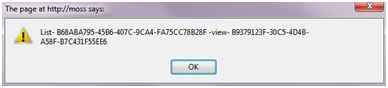
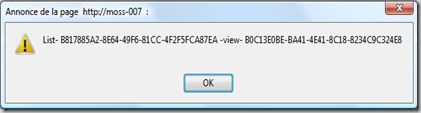 Create a bookmark named “View IDs (alert)” in the bookmark tab (usually found just under the address bar) and use this as its URL:
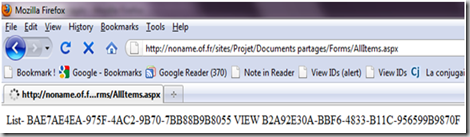 Create a bookmark named “View IDs” with this URL for this version: